A Pet AI SDK is a software development kit that provides pre-built APIs, machine learning models, and developer tools for embedding artificial intelligence into pet care products, such as smart feeders, activity trackers, and health monitoring apps. With a Pet AI SDK, development teams can add features like pet face recognition, behavior classification, and anomaly detection without building AI models from scratch. This means faster time-to-market, lower engineering costs, and more reliable AI performance for pet tech solutions.
What Is a Pet AI SDK and Why Does It Matter?
The pet technology sector is growing rapidly. Global spending on pet care continues to rise, and pet owners increasingly expect smart, personalized features in the products they buy. A Pet AI SDK addresses this demand by giving developers a standardized way to integrate AI capabilities into their applications and devices. Instead of managing complex machine learning pipelines, a developer can use SDK methods, pre-trained models, and cloud APIs to add intelligence to their product quickly.
A typical Pet AI SDK includes several core components:
- Pre-trained models for tasks such as pet species identification, breed classification, and age estimation.
- RESTful APIs that allow applications to send images, video, or sensor data and receive AI-generated insights.
- Edge device libraries for running models locally on cameras, wearables, or embedded systems with low latency.
- Data processing utilities for handling image normalization, video frame extraction, and time-series sensor data.
- Developer documentation and sample code that demonstrate common use cases like pet detection and activity logging.
pet recognitionof a Pet AI SDK lies in its ability to abstract away the complexity of AI. Building a custom pet recognition model from scratch requires collecting thousands of labeled images, training a neural network, optimizing it for mobile or edge hardware, and maintaining it over time. An SDK handles these heavy lifting tasks and provides a consistent interface that works across different platforms. For pet tech startups and established manufacturers alike, this can be the difference between launching a product in weeks versus years.
Key Capabilities of a Modern Pet AI SDK
Modern Pet AI SDKs are not limited to simple detection. They offer a wide range of capabilities that can be combined to create rich user experiences. The following list outlines the most valuable features for pet-focused products.
- Pet face and body recognition: Identify individual pets with high accuracy. This is useful for multi-pet households, personalized feeding schedules, and lost-pet recovery.
- Behavior analysis: Recognize actions such as eating, drinking, sleeping, scratching, or limping. This data can alert owners to potential health issues or behavioral changes.
- Health monitoring: Use computer vision and sensor fusion to estimate weight, detect skin conditions, or track respiratory rate. Some SDKs also integrate with wearable sensors for heart rate and activity data.
- Activity tracking: Measure steps, play time, and rest periods. Activity logs help owners understand their pet’s daily routines and adjust exercise or diet accordingly.
- Emotion and stress estimation: Analyze facial expressions, posture, and vocalizations to estimate stress or anxiety levels. While not a substitute for veterinary diagnosis, this feature supports proactive care.
- Voice and sound recognition: Detect barks, meows, whines, or other vocal cues. This can trigger notifications when a pet is distressed or when unusual sounds occur.
- Breed and trait classification: Identify a pet’s breed or mix, which helps personalize nutrition, exercise plans, and insurance recommendations.
These capabilities are often delivered as modular SDK components. Developers can choose only the features they need, which keeps the integration lightweight and reduces costs. In addition, many Pet AI SDK providers offer cloud-based processing for complex tasks and edge-based processing for real-time, offline scenarios.
How to Integrate a Pet AI SDK into Your Product
Integrating a Pet AI SDK is a structured process. The exact steps vary by provider, but the general workflow remains consistent. Below is a practical five-step method that applies to most SDKs, including those from leading pet AI solution providers.
Step 1: Define Your Use Case and Data Requirements
Before writing code, clearly define what AI feature your product needs. For example, a smart camera may require real-time pet detection, while a health app may need daily weight estimation from images. Determine the data you will collect: images, video, audio, or sensor streams. This decision affects which SDK modules you need and whether you require cloud processing or edge deployment.
Step 2: Choose the Right Pet AI SDK and Set Up Your Environment
Evaluate different SDKs based on supported platforms (iOS, Android, Linux, embedded systems), licensing terms, model accuracy, and latency. After selecting an SDK, install the development package and configure your environment. Most SDKs provide a simple installation command or a downloadable library. For example, you might add an SDK dependency to your project file or import a native library into your embedded environment.
Step 3: Initialize the SDK and Authenticate
Most cloud-connected SDKs require an API key or token. Initialize the SDK with your credentials, and configure any optional settings such as confidence thresholds, language preferences, or region-specific data handling. For edge-based SDKs, you may need to load a model file into local memory. Ensure that your initialization code runs once at application startup to avoid repeated authentication overhead.

Step 4: Implement Core AI Calls
Use the SDK’s methods to pass data and receive results. For example, to detect a pet in an image, you might call a method like analyzePet(image) and receive a response containing bounding boxes, species, and confidence scores. For activity tracking, you might feed sensor data into a time-series model. The SDK documentation will provide code samples for each feature. It is important to handle errors gracefully, such as network timeouts or invalid image formats.
Step 5: Test, Optimize, and Deploy
Run tests using real-world data that represents your target environment. Measure accuracy, response time, and resource usage. If you are building a mobile app, test on low-end devices to ensure performance. For edge devices, verify power consumption and memory usage. After optimization, deploy your application and monitor AI outputs in production. Collect feedback and periodically update the SDK or model to maintain accuracy as your user base grows.
This integration process is designed to be iterative. You can start with a minimal viable feature and expand later. Many pet tech companies launch with a single AI feature, such as pet detection, and then add health monitoring or behavior analysis in subsequent releases.
Pet AI SDK vs. Building Custom Models: A Practical Comparison
One of the most common questions development teams ask is whether to use a Pet AI SDK or build custom machine learning models. Both approaches have merits, but the choice depends on project goals, resources, and long-term maintenance. The comparison below highlights key differences.
- Time to market: Using a Pet AI SDK can reduce development time from months to a few weeks. Building a custom model requires data collection, annotation, training, testing, and deployment, which typically takes at least three to six months for a single feature.
- Cost: SDK licensing fees are often lower than the cost of hiring a machine learning engineering team. Custom models require specialized talent, GPU infrastructure, and ongoing data labeling costs.
- Accuracy: A reputable Pet AI SDK is trained on large, diverse datasets covering many breeds, lighting conditions, and camera angles. A custom model may achieve higher accuracy for a very specific use case but only if you have enough high-quality training data.
- Flexibility: Custom models allow complete control over model architecture and behavior. An SDK may limit you to predefined features, although many providers offer customization options or fine-tuning capabilities.
- Maintenance: SDK providers continuously update models to improve accuracy and address new edge cases. Custom models require your team to monitor performance, retrain, and deploy updates on a regular basis.
- Data privacy: With an SDK, you may send data to a cloud provider for processing. Custom models can run entirely on-premises or on-device, which is advantageous for privacy-sensitive applications. Some Pet AI SDKs also offer on-device processing to address this concern.
In practice, many companies adopt a hybrid approach. They use a Pet AI SDK for standard features like pet detection and species classification, while building custom models for highly differentiated tasks that require proprietary data. This balances speed and innovation.
Best Practices for Pet AI Development
To get the most out of a Pet AI SDK, follow these best practices. They will help you build a reliable, user-friendly, and ethical pet tech product.
Prioritize Data Privacy and Consent
Pet AI applications often capture images and audio from private homes. Be transparent about what data is collected, how it is used, and where it is stored. Implement clear user consent flows and allow pet owners to delete data easily. If your SDK offers on-device processing, use it to minimize data transfer. Compliance with regulations such as GDPR and CCPA is not optional.
Design for Real-World Conditions
Pets move quickly, lighting changes, and cameras are often placed at unusual angles. Test your integration in realistic scenarios: low light, motion blur, and occlusions. Use a diverse set of pet images during testing to avoid bias. Some SDKs allow you to set confidence thresholds; adjust them to reduce false positives while maintaining recall.
Combine AI with Human Expertise
AI predictions should support, not replace, veterinary judgment. For health-related features, clearly state that the SDK provides insights and is not a diagnostic tool. Include disclaimers and recommend that users consult a veterinarian for medical concerns. This builds trust and reduces liability.
Plan for Model Updates
SDK providers regularly release new model versions. Subscribe to update notifications and test new versions in a staging environment before rolling them out. Track version numbers in your application logs so you can correlate performance changes with model updates.
Optimize for Battery and Bandwidth
If your product is a wearable or a smart camera, AI processing can consume significant power and bandwidth. Use edge processing for real-time alerts and reserve cloud processing for periodic, more complex analysis. Implement aggressive caching and compression for transmitted images.
Common Use Cases Across Pet Tech
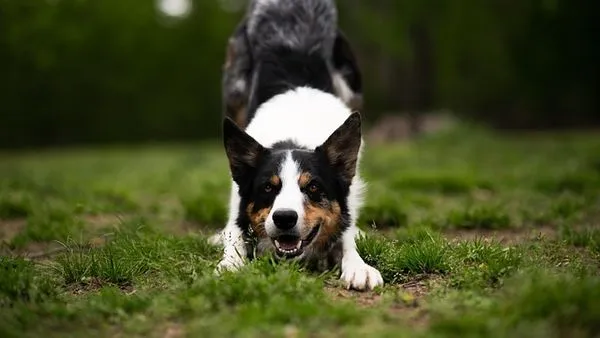
Pet AI SDKs enable a wide range of products. The following use cases are already being deployed by pet tech companies, and they demonstrate the versatility of AI integration.
- Smart pet feeders: Use facial recognition to identify each pet in a multi-pet household and dispense the correct portion for each animal. The SDK can also monitor eating patterns and alert owners to appetite changes.
- Interactive pet cameras: Detect when a pet is barking, scratching, or showing signs of distress, then send push notifications to the owner. Some cameras use AI to activate a treat-dispensing toy when the pet performs a desired behavior.
- Wearable health trackers: Combine motion sensors with AI models to estimate activity levels, sleep quality, and calories burned. Advanced trackers can detect irregular gait or heart rate anomalies.
- Telehealth and veterinary apps: Allow owners to upload photos of their pet’s skin, eyes, or ears. The AI SDK can flag potential issues and help vet staff prioritize cases.
- Pet insurance platforms: Use breed classification and health data to provide personalized premium quotes and wellness recommendations.
These use cases rely on the same underlying SDK capabilities, but each product presents unique design challenges. For example, a smart feeder needs low-latency recognition to avoid meal delays, while a telehealth app can tolerate slightly longer processing times in exchange for higher accuracy. Understanding these constraints is essential when choosing and configuring your Pet AI SDK.
FAQ
What should I look for when selecting a Pet AI SDK?
Focus on four factors: supported platforms, model accuracy, latency, and pricing. Check if the SDK provides documentation and sample code for your target platform. Look for independent accuracy benchmarks or run your own tests with representative images. If your product requires offline operation, verify that the SDK supports on-device inference.
Can a Pet AI SDK run on low-powered IoT devices?
Yes, many SDKs offer optimized edge models that run on devices with limited RAM and processing power. These models are typically quantized to reduce size and speed up inference. However, complex tasks like emotion analysis may require cloud processing because they use larger neural networks. Choose an SDK that supports hybrid deployment: edge for real-time detection, cloud for deeper analysis.
How much does a Pet AI SDK cost?
Pricing varies widely. Some SDKs offer free tiers with limited calls, while others charge per API request or per device. Enterprise licenses may include dedicated support and custom model training. Evaluate your expected call volume and device count to estimate total cost. Remember that using an SDK can save engineering time and reduce the need for in-house AI staff, which often offsets licensing fees.
Is my pet data safe with a Pet AI SDK?
Reputable SDK providers follow industry-standard security practices, including encryption in transit and at rest. Some providers allow on-device processing so that images never leave the user’s device. Review the provider’s data processing agreement and ask about data retention policies. Always inform end users about data handling and obtain consent.
Can I customize a Pet AI SDK for my specific use case?
Most SDKs allow some level of customization, such as setting confidence thresholds, defining regions of interest, or adjusting sampling frequency. Some providers offer fine-tuning services where you can train the model on your own dataset to improve accuracy for niche breeds or unusual environments. If you need deep customization, consider a hybrid approach that combines SDK features with your own lightweight models.
Conclusion
smart petSDK is one of the most efficient ways to bring artificial intelligence into pet care products. It provides reliable, pre-built models and APIs that let developers focus on user experience instead of machine learning infrastructure. By following a structured integration process, choosing the right SDK for your hardware, and adhering to privacy best practices, you can launch a smart pet product that delivers real value to owners and their animals. As the pet tech ecosystem evolves, AI-powered features are becoming table stakes for competitive products. Whether you are building a smart feeder, a health monitor, or a connected toy, a Pet AI SDK gives you the foundation to move quickly and iterate with confidence. Industry leaders like Pettuex continue to demonstrate how AI-driven solutions can transform pet care, and integrating a robust SDK into your own product is a practical first step toward that future.