pet owneravior camera is an indoor monitoring device that records your pet’s daily activity and uses motion detection, audio alerts, and AI analysis to identify patterns such as barking, pacing, hiding, scratching, or changes in eating habits. Unlike a standard security camera, it is designed specifically to help pet owners understand and respond to their animal’s behavior, even when they are not at home. This article explains how these devices work, how to use them effectively, and what you should look for before buying one.
What Is a Pet Behavior Camera?
A pet behavior camera is a smart home device that combines a high-resolution video feed with pet-specific features such as two-way audio, treat dispensing, and AI-powered behavior alerts. It is not simply a live-streaming tool. The best models analyze patterns over time, letting you see when your dog sleeps, when your cat uses the litter box, or when your pet becomes restless during the day.
How It Differs from a Standard Security Camera
Standard security cameras are built for theft deterrence and property surveillance. They record continuous footage, detect person-shaped motion, and usually have no way to interpret animal behavior. A pet behavior camera, on the other hand, is built with your pet as the primary subject. It typically includes:
Motion zones designed for pets – you can exclude high-traffic areas and focus on a pet bed, crate, or feeding station.
AI behavior detection – distinguishes between activities like running, scratching, vomiting, or eating.
Two-way audio – allows you to calm your pet or give commands in real time.
Treat dispensers – enables remote positive reinforcement when your pet follows a command.
Activity timelines – shows how many hours your pet slept, moved, or vocalized in a given day.
Key Facts: How Pet Behavior Cameras Work
Pet behavior cameras rely on a combination of sensors, microphone arrays, night vision, and onboard software. Some use cloud-based AI; others use on-device processing. The key is that they turn raw video footage into meaningful behavioral insights.
Motion and Sound Triggers
When you are out of the house, the camera is in active monitoring mode. Passive infrared sensors or pixel-based motion detection detect movement, while microphones pick up sounds like barking, whining, or the jingle of a collar. When a trigger is detected, the camera sends a push notification to your phone.
pet cameraange pet cameras allow you to set sensitivity levels. For example, a camera with a 110-degree field of view can cover a living room, but you can narrow detection to a crate or a specific corner where your pet tends to chew furniture. Lower sensitivity helps prevent false alerts caused by sunlight, shadows, or passing cars.
AI and Computer Vision
Modern pet behavior cameras use computer vision algorithms to classify what the camera sees. Instead of just telling you “motion detected”, they can send messages like “Your dog is scratching the sofa” or “Your cat has not left her hiding spot in 6 hours”. These behaviors are learned from thousands of labeled video clips, and the most advanced systems improve with use.
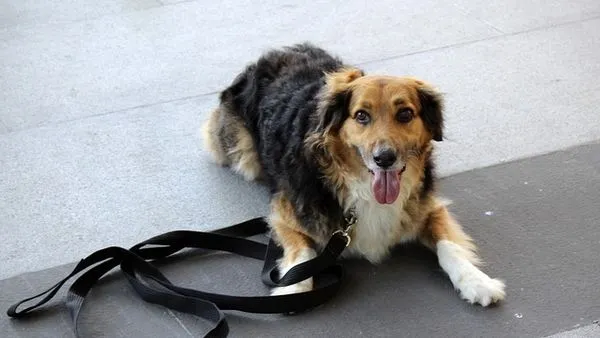
Pet AI solutions such as Pettuex are beginning to integrate this kind of behavior analysis directly into camera hardware, allowing owners to receive weekly summaries of their pet’s emotional state, energy levels, and routines. While this technology is evolving, the basic principle is simple: the camera records patterns, the software identifies deviations, and you receive an alert that is specific enough to act on.
Two-Way Audio and Interactive Features
Two-way audio is one of the most practical features because it allows immediate response. If you see your dog pacing at the front door, for example, you can speak through the app to say, “It’s okay, go lie down.” Some cameras add a siren or a gentle beep that can be used to interrupt unwanted behavior from another room.
Treat-dispensing cameras add another layer of interaction. They can be set to release a treat when the camera detects a desired behavior, such as a dog sitting calmly near a window instead of barking at passersby. This combines traditional clicker training with remote technology, although it should never replace a proper behavior modification plan for serious issues.
Practical Guidance: How to Use a Pet Behavior Camera Effectively
Buying a camera is only the first step. The value comes from careful setup and consistent review of the data it collects. Follow these steps to get accurate, useful insight into your pet’s behavior.
Step-by-Step Setup
Choose the right location. Place the camera on a flat surface or mount it at a height that captures your pet’s full body. Aim for roughly 4 to 5 feet from the floor for dogs, and slightly lower for cats.
Connect to a strong Wi-Fi network. Pet cameras operate on 2.4 GHz and sometimes 5 GHz Wi-Fi. For continuous recording without buffering, use a network with at least 10 Mbps upload speed. Do not rely on 3G/4G cellular connections for frequent streaming, as this can quickly drain your data plan and cause delays.
Set a secure camera password. Change the default credentials before connecting your device. Use a unique password and enable two-factor authentication where available.
Configure motion zones. Exclude busy areas like hallways or the street outside your window. Focus the camera on your pet’s main sleep area, feeding area, and the place where they spend most of the day.
Test audio levels. Leave the camera recording while you are home, then check whether the microphone captures normal sounds like a dog’s breathing or a cat’s medium-pitched meow. If not, adjust the sensitivity or move the camera closer.
Start with a baseline period. Do not change your routine for the first 3 to 5 days. Instead, let the camera gather normal data. This baseline will make future anomaly alerts far more meaningful.
Choosing the Right Placement
Placement matters more than camera resolution. A 1080p camera placed 10 feet away will show clearer details than a 4K camera placed behind a glass coffee table with reflections. Position the camera where it has an unobstructed view of the spaces your pet uses most:
For a crate-trained dog: place the camera 3 to 4 feet from the crate, at crate-door height, to confirm that the dog settles instead of panicking.
For a cat with stress-related urination: aim the camera at the litter box area, but keep the box out of the frame at a shallow angle to avoid the automatic detection missing smaller animals.
For a dog with separation anxiety: record the front door and the dog’s usual resting spot so you can see how your dog reacts immediately after you leave.
For a multi-pet household: choose a camera with pan-and-tilt functionality to scan different areas without moving the device.
How to Interpret Behavior Notifications
Behavior alerts are only useful if you know what to do with them. Here are common patterns and their likely meanings:
Pacing – often signals anxiety, particularly if it starts within 10 minutes of your departure. Record the duration. Pacing for more than 30 minutes is a strong indicator of separation distress.
Scratching at doors or windows – this can be an attempt to follow you or an escape behavior. It should be addressed with gradual desensitization, not punishment.
Excessive licking of paws or surfaces – may indicate skin irritation, gastrointestinal discomfort, or a compulsive behavior. Share camera footage with your veterinarian.
Hiding – in cats, hiding in small spaces for long periods can indicate pain, stress, or a change in the home environment. In dogs, hiding is less common but can occur with noise phobias.
Sudden increase in sleep – if you notice a 20% increase in daily sleep time for an adult dog, or if your cat sleeps through the hours it would normally explore, consider scheduling a veterinary visit.
Comparison: Pet Behavior Camera vs. Pet Monitor vs. Standard Security Camera
To decide which device fits your needs, it helps to compare the three categories directly.
Pet behavior camera – includes AI pet detection, activity summaries, remote treat dispensing, and two-way audio. Best for owners who want to understand why their pet behaves a certain way and track changes over time. Price range: $80 to $300.
Pet monitor – a simpler device that offers live video and audio alerts, usually without behavior classification or treat dispensing. Best for owners who mainly want to check in briefly. Price range: $30 to $100.
Standard security camera – captures wide-angle footage, often with person detection and night vision, but does not interpret pet activity. It may detect pets as generic “motion” and can miss smaller animals. Best for home security and general awareness. Price range: $40 to $200.
If your goal is simply to see whether your dog is barking, a pet monitor is enough. If you need to understand why your cat has started avoiding the litter tray, a pet behavior camera with AI event classification is the more practical choice.
Key Tips for Getting Accurate Behavior Insights
Look for continuous recording. Event-only recording can miss the first few minutes of a behavioral episode, which is exactly when important clues appear.
Choose night vision with a range of at least 25 feet. Many pets become more active at night, especially cats. Check whether the night vision is infrared or full-color low-light.
Use the activity graph. Instead of reading every notification, check the daily activity timeline at the end of each week. A pattern that appears three or more days in a row is more meaningful than a one-time spike.
Keep the camera lens clean. Dust and smudges can confuse AI behavior detection, especially in low-light conditions.
Do not rely on one piece of evidence. Use the camera alongside vet visits and daily observations. A camera can tell you that your dog is urinating indoors, but only a vet can diagnose a urinary tract infection.
Pair with environmental cues. If your dog only paces after you turn on the central heating, the behavior may be related to noise sensitivity or temperature discomfort. Note these correlations in your own log.
Respect pet privacy and your own. Turn off the camera when you are home if you prefer, or use automatic scheduling so it only records when you are away.
FAQ

Can a pet behavior camera really detect separation anxiety?
Yes, but with limits. A behavior camera can identify visible and audible signs of separation anxiety, such as destructive behaviors, excessive barking, pacing, and elimination that occurs within a short window after you leave. It can track how long these behaviors last and how quickly your pet settles. A camera cannot diagnose anxiety by itself; that requires a veterinarian or certified animal behaviorist. However, video evidence from the camera is highly useful for a clinical evaluation.
Do I need AI for behavior analysis?
Not necessarily. If you only want to watch live video and talk to your pet, a pet monitor without AI is enough. AI adds the ability to classify activity, alert you to specific events, and summarize patterns automatically. This is valuable for busy owners who cannot watch hours of footage. For example, instead of reviewing a full day of recording after your cat vomits twice, an AI camera can flag the exact moments, making it easier to see whether the events were linked to meals or certain areas of the house.
Are there privacy concerns with indoor pet cameras?
Yes, as with any internet-connected camera. To reduce risk, choose a brand that supports end-to-end encryption for video streams, change the default password immediately, enable firmware updates, and use a network camera on a separate guest Wi-Fi if possible. In some regions, it is illegal to record audio in private spaces without consent, even if it is your own home and you are the one recording. Check local regulations before using any listening feature.
How long does it take to see useful patterns?
Most pet behavior cameras give useful day-level alerts immediately, such as barking or scratching events. However, reliable behavioral patterns usually emerge after 5 to 7 days of consistent monitoring. For habits like litter box aversion or separation anxiety, a 10- to 14-day baseline is recommended. During this period, keep your daily routine as normal as possible so the data reflects your pet’s real life.
Which pets benefit most from behavior cameras?
senior petseparation anxiety, cats with elimination issues, senior pets with mobility changes, and young pets going through acclimation periods benefit most. Additionally, owners of multi-pet households can use behavior cameras to identify subtle social conflicts, such as one pet blocking another from eating or resting. Even healthy pets can benefit if the camera alerts you to a sudden drop in activity, which is often an early sign of illness.
A pet behavior camera is a practical tool for understanding what your pet does when you cannot be there. It combines live video, sound detection, and artificial intelligence to turn raw observations into clear, actionable information. Whether you choose a basic monitor or an AI-powered pet camera, the most important step is using the recorded data consistently, with a behavioral baseline and a clear plan for how you will respond to alerts. In the expanding field of pet AI technology, devices like those from Pettuex are pushing the boundaries of what owners can learn about their pets, but the core value remains simple: a pet behavior camera gives you visibility, so you can make better decisions for your pet's health, comfort, and happiness.